7 Free AI Tools That Work in Pakistan
Finding free AI tools that work in Pakistan can be harder than it sounds when some tools have limited features, payment restrictions, or different access rules by country. You may also wonder which AI tool is actually worth your time.
In this guide, you will learn about seven useful AI tools for writing, studying, research, images, coding, and everyday work. We will look at what each tool does, who should use it, what you can get for free, and which option may suit you best.
You do not need to be an AI expert to use these tools. Most can be started with a normal browser and an internet connection, so let us look at the options that can make your work easier.
Free AI Tools That Work in Pakistan: What to Know
Before choosing an AI tool, it is important to understand what “free” actually means. A free AI service may offer a free account but place limits on messages, image generation, file uploads, speed, or advanced features.
The good news is that many popular AI services can be accessed from Pakistan through their websites or apps. You usually do not need an expensive subscription to start learning and experimenting with AI.
Here are some things to check before signing up:
- Free access: Does the tool have a genuine free tier?
- Usage limits: How many messages, images, or searches can you make?
- Account requirements: Does it require an email or phone number?
- Payment: Are paid features optional?
- Language support: Can it understand English, Urdu, or Roman Urdu?
- Device support: Does it work well on your phone?
- Purpose: Is it actually useful for your specific task?
Another important point is that AI services can change their plans and availability. A tool that is free today may introduce limits later.
For this reason, do not choose an AI tool only because it says “free.” Choose one that gives you enough useful features for the work you need to do.
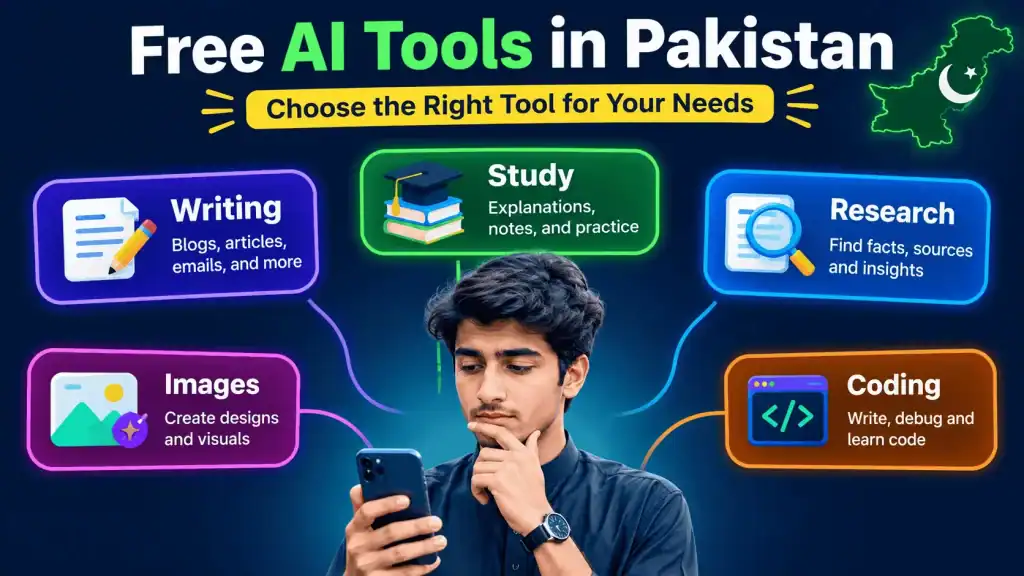
7 Free AI Tools Worth Trying
There are many AI services available, but beginners do not need dozens of them. A small group of reliable tools can cover most everyday needs.
Here are seven options worth exploring:
- ChatGPT — Useful for writing, brainstorming, learning, summaries, coding, and general questions.
- Google Gemini — Helpful for questions, writing, research-style tasks, and Google ecosystem users.
- Microsoft Copilot — Useful for general AI assistance, writing, and Microsoft users.
- Perplexity — A strong choice when you want AI answers with web research and sources.
- Claude — Useful for writing, analysis, summaries, and working with longer text.
- Canva AI — Helpful for creating designs, social posts, presentations, and AI-assisted visuals.
- DeepSeek — Popular for general questions, reasoning, coding, and technical tasks.
The best option depends on your goal. There is no single AI tool that is perfect for everyone.
For example, a student may prefer ChatGPT or Gemini for explanations, while someone doing online research may prefer Perplexity. A designer may get more value from Canva’s AI features.
Free plans also change frequently. Always check the service’s current pricing and access information before depending on one tool for important work.
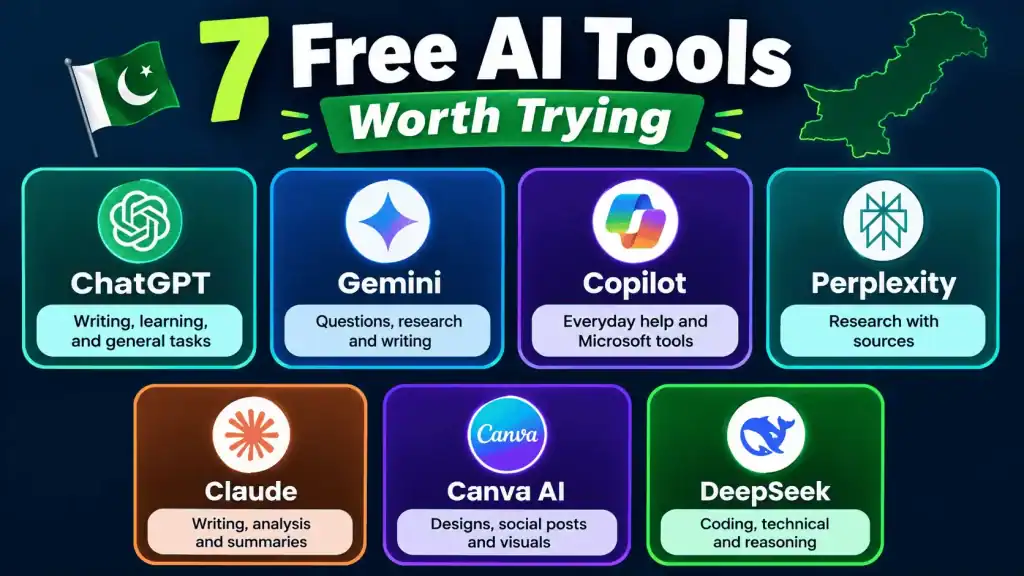
Best Free AI Tools That Work in Pakistan for Different Needs
Choosing an AI tool becomes much easier when you start with the task rather than the brand.
| Name | Free Plan | Best For | Rating |
|---|---|---|---|
| ChatGPT | Yes | Writing, learning, general tasks | 9/10 |
| Gemini | Yes | Questions, writing, Google users | 9/10 |
| Copilot | Yes | Everyday help and Microsoft users | 8/10 |
| Perplexity | Yes | Research and sources | 9/10 |
| Claude | Yes | Writing and long documents | 9/10 |
| Canva AI | Yes | Designs and social content | 8/10 |
| DeepSeek | Yes | Coding and technical questions | 8/10 |
Ratings are practical recommendations, not official scores, and free features can change.
For students
ChatGPT, Gemini, Claude, and Perplexity are useful choices. You can ask them to explain difficult topics in simple language, create practice questions, summarize notes, or help you understand a concept.
For writers
ChatGPT and Claude are good starting points for blog outlines, rewriting, brainstorming, and improving clarity. You should still check facts and make the final writing your own.
For research
Perplexity is especially useful when you want a quick research starting point and links to sources. It can save time when you are trying to understand a new topic.
For design
Canva AI is a practical option for social media graphics, presentations, thumbnails, and other visual content.
For coding
ChatGPT, Gemini, Claude, and DeepSeek can help explain code, find possible bugs, and create examples.
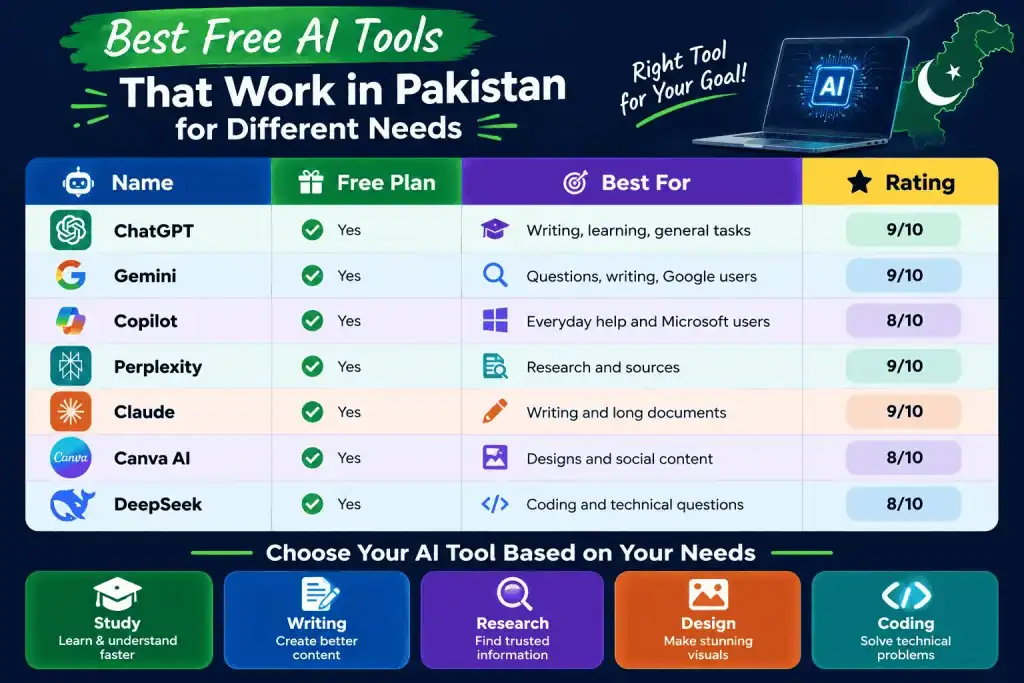
How to Choose the Right Free AI Tool
The biggest mistake beginners make is trying to use every AI tool at once. You will learn faster if you choose one tool for your main task and learn how to write good instructions.
Start by asking yourself three questions:
- What do I need AI to do?
- How often will I use it?
- Do I need special features?
For example, if you mainly write assignments, start with one general AI assistant. If you research websites and need sources, try a research-focused tool. If you make Instagram posts or YouTube thumbnails, look at a design-focused service.
Also consider your device. Many Pakistani users access AI mainly from Android phones, so a tool with a good mobile website or app can be more convenient.
Pay attention to limits too. A free plan may be enough for occasional use but frustrating if you use AI throughout the day.
Do not share private passwords, banking information, personal documents, or sensitive data with an AI chatbot.
Finally, test two or three tools with the same question. Compare the answers, speed, ease of use, and available features. After that, keep the one that fits your daily work best.
How Pakistani Students and Workers Can Use AI
AI can be useful for much more than asking random questions. Students, freelancers, office workers, creators, and small business owners can use free AI tools to save time on repetitive tasks.
Students can use AI to:
- Explain difficult lessons in simple English.
- Create quiz questions from their notes.
- Build study plans.
- Practice English writing.
- Summarize long material.
- Generate ideas for presentations.
Freelancers can use AI to:
- Brainstorm article topics.
- Create first drafts.
- Improve emails.
- Write proposals.
- Generate social media ideas.
- Explain technical problems.
Small business owners can use AI for:
- Product descriptions.
- Facebook and Instagram captions.
- Customer FAQ ideas.
- Marketing brainstorming.
- Basic business research.
- Content calendars.
The key is to use AI as an assistant, not as a replacement for your own judgment.
For school and professional work, check important facts before publishing or submitting anything. AI can produce confident-sounding mistakes.
You can also make AI more useful by giving it context. Instead of saying “write a post,” tell it who the audience is, what the goal is, what tone you want, and how long the content should be.
That small change can make the result much better.
Tips for Getting Better Results From Free AI Tools
You do not always need a paid AI plan to get better answers. Better instructions often make a bigger difference than simply switching tools.
Try this simple prompt formula:
Task + Context + Format + Audience + Limits
For example, instead of:
“Explain SEO.”
Try:
“Explain SEO to a beginner in Pakistan using simple English. Give five examples and keep the answer under 500 words.”
You can also ask AI to improve its own answer. Try prompts such as:
- “Make this easier to understand.”
- “Give me three alternatives.”
- “Check this for missing information.”
- “Turn this into bullet points.”
- “Explain this like I am a beginner.”
- “Give me examples from everyday life.”
Another useful habit is to verify important information. AI tools can make mistakes, especially with current prices, laws, dates, statistics, and breaking news.
If you are using AI for content creation, do not simply copy and publish the first response. Add your own experience, examples, opinions, and fact checking.
Free tools are also enough to build good habits. Start with one tool, learn how to prompt it, and then add another tool only when you have a real reason.
Frequently Asked Questions
A free AI tool is an AI service that lets you use some of its features without paying for a subscription. Free plans often have limits on usage, speed, features, or access to advanced models. Examples include general chatbots, research tools, writing assistants, and design platforms.
Start by visiting the official website or app of the AI service you want to try. Create an account if required and begin with a simple task such as asking a question, summarizing text, or generating ideas. If a service is unavailable or a feature is restricted, try another reputable AI tool rather than using unsafe workarounds.
Yes, many popular AI services offer free plans that can be accessed by users in Pakistan. However, free does not always mean unlimited, and some advanced features may require payment. Always check the current plan and terms of the specific service.
There is no single winner for every user. ChatGPT and Gemini are strong general-purpose choices, while Perplexity is especially useful for research-style searches and sources. For most beginners, starting with ChatGPT or Gemini and adding Perplexity for research is a simple approach.
You can learn the basics of a general AI chatbot in a few minutes. Becoming good at writing prompts and checking AI answers takes more practice. Most beginners can become comfortable with their first tool after using it for several real tasks.
Yes, beginners can use free AI tools without technical knowledge. Start with simple requests and gradually learn how to give better instructions. You do not need to know programming to get useful results from most general AI tools.
Conclusion
The best free AI tools that work in Pakistan can help you study, write, research, design, code, and complete everyday tasks without immediately paying for an expensive subscription.
The three biggest takeaways are simple:
- Choose the tool based on your task, not hype.
- Use free plans first before deciding whether you need premium features.
- Check AI answers carefully, especially when the information is important or time-sensitive.
For most beginners, I recommend starting with ChatGPT or Gemini for general work, then adding Perplexity for research or Canva AI for design. This gives you a simple toolkit without overwhelming you.
Which one will you try first? Let us know in the comments below!
7 Free AI Tools That Work in Pakistan
7 Free AI Tools That Work in Pakistan Finding free AI tools that work in Pakistan can be harder than it sounds…
Use ChatGPT Free Without Phone Number (2026 & 2027)
Introduction You sit down, excited to try ChatGPT for the first time — and boom, it asks for your phone number. No…

Best Free AI Tools for Students Without Login
Introduction Are you tired of finding AI tools that force you to create an account before you can use them? Many students…